Bring Your Own AI: Zero Markup, 100% Privacy
Most reading apps lock you into expensive monthly AI subscriptions with rigid model choices and hidden markups.
NeuroRead Pro gives you complete freedom. Whether you want to run 100% private, local models on your own laptop using Ollama without internet access, or tap into the reasoning power of frontier cloud models (like Gemini 1.5/2.5, Claude 3.5 Sonnet, or GPT-4o), you can connect your preferred engine in seconds.
All API keys are encrypted and stored strictly on your local device. Your notes, highlights, and book contents never touch any third-party proxy servers.
Direct Links to Create Your API Keys
No need to search Google—use these direct official links to generate your keys immediately:
| Provider | Direct Link to Create Key | Best Used For |
|---|---|---|
| Google Gemini | Generate Gemini API Key | 1M+ context window (full-book analysis) |
| OpenAI (ChatGPT) | Create OpenAI API Key | Industry-standard formatting & reliability |
| Anthropic Claude | Create Claude API Key | Nuanced literary prose & Socratic dialogue |
| Groq Cloud | Create Groq API Key | Blazing-fast inference (300+ tokens/sec) |
| OpenRouter | Create OpenRouter API Key | Universal multi-model gateway |
| Local Ollama | Download Ollama | 100% private, zero cost, works offline |
Accessing AI & LLM Settings
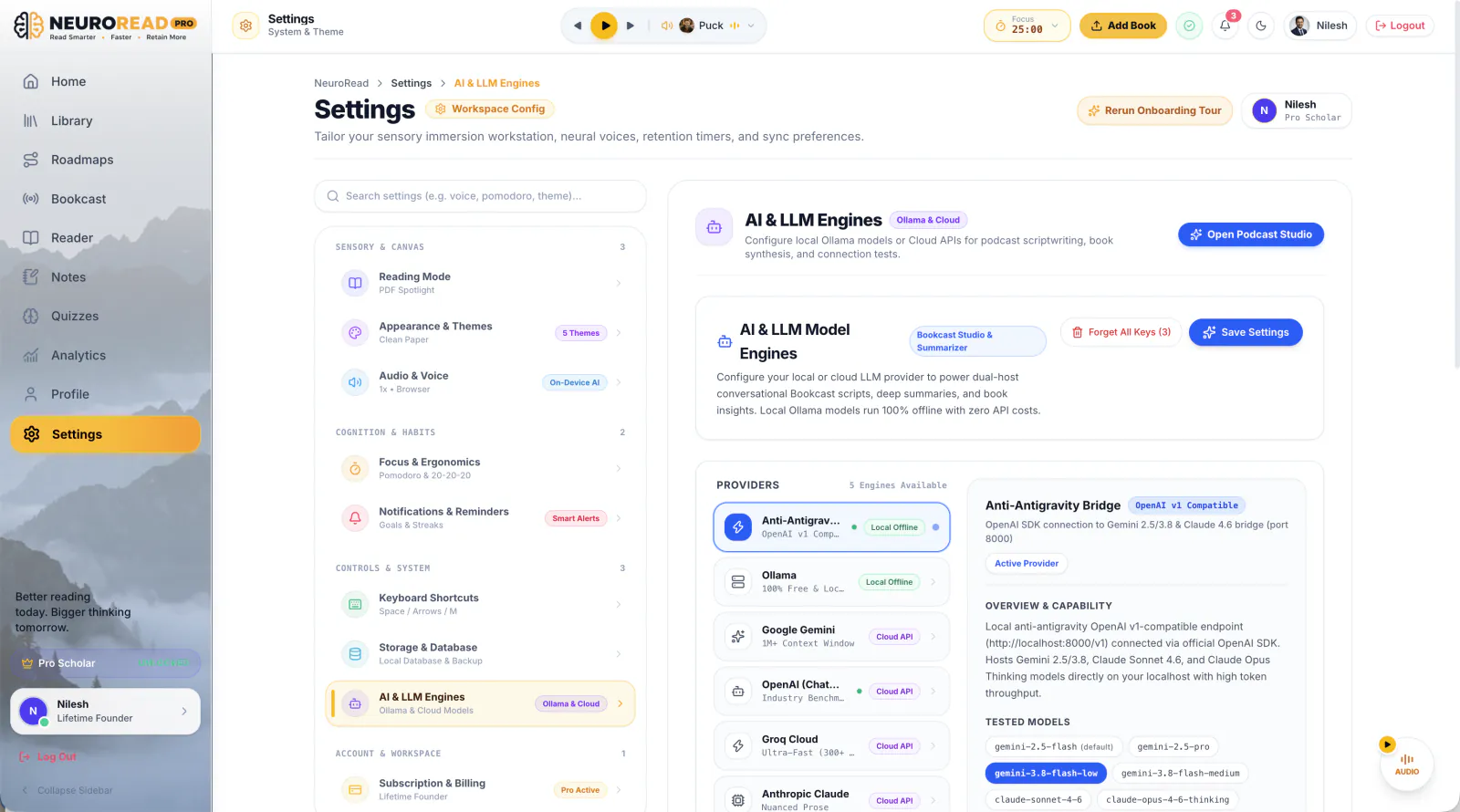
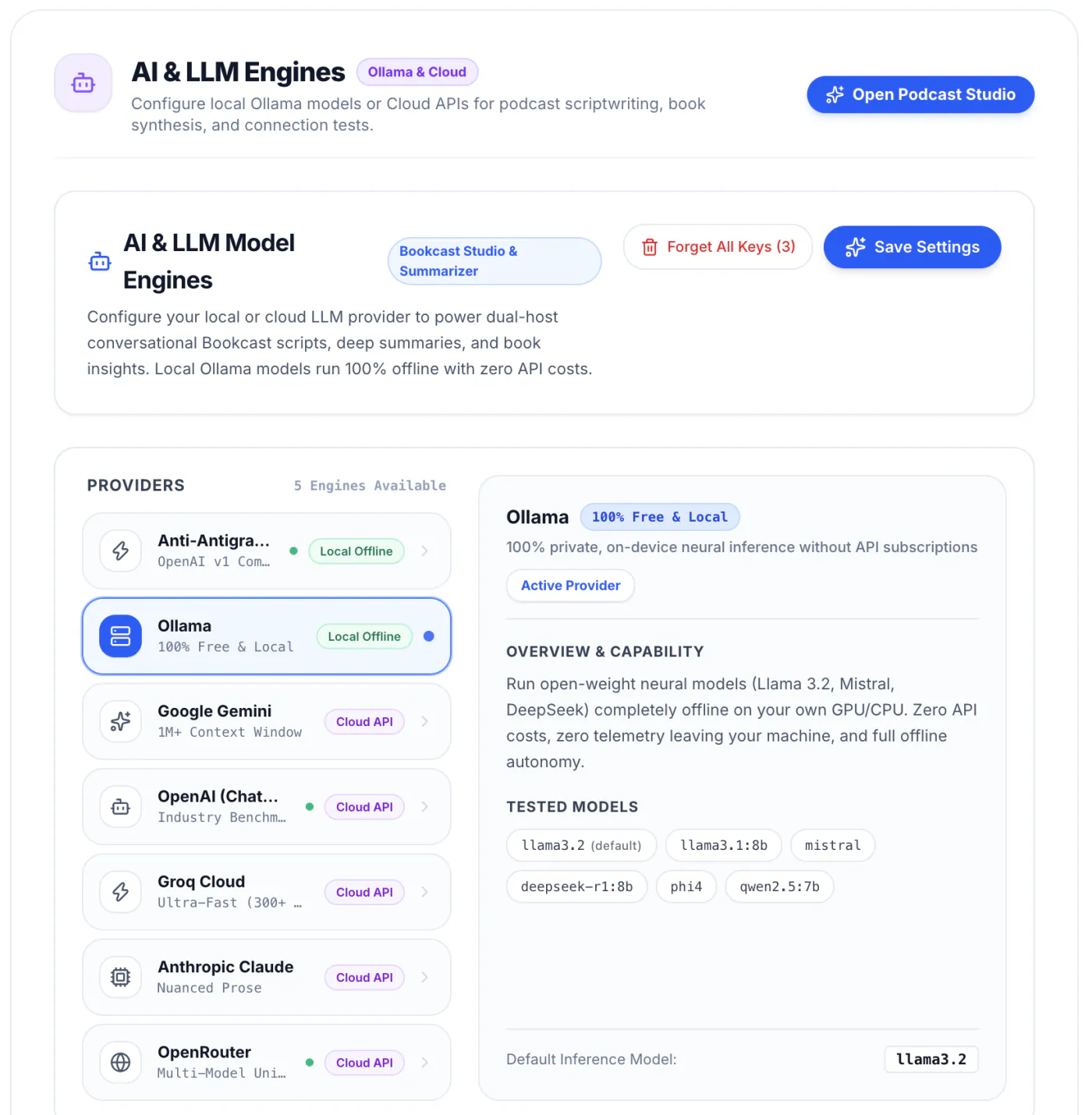
In NeuroRead Pro, navigate to your AI settings in two clicks:
- Click Settings in the left sidebar.
- Select AI & LLM Engines under Controls & System.
- You will arrive at the central AI & LLM Model Engines workstation:
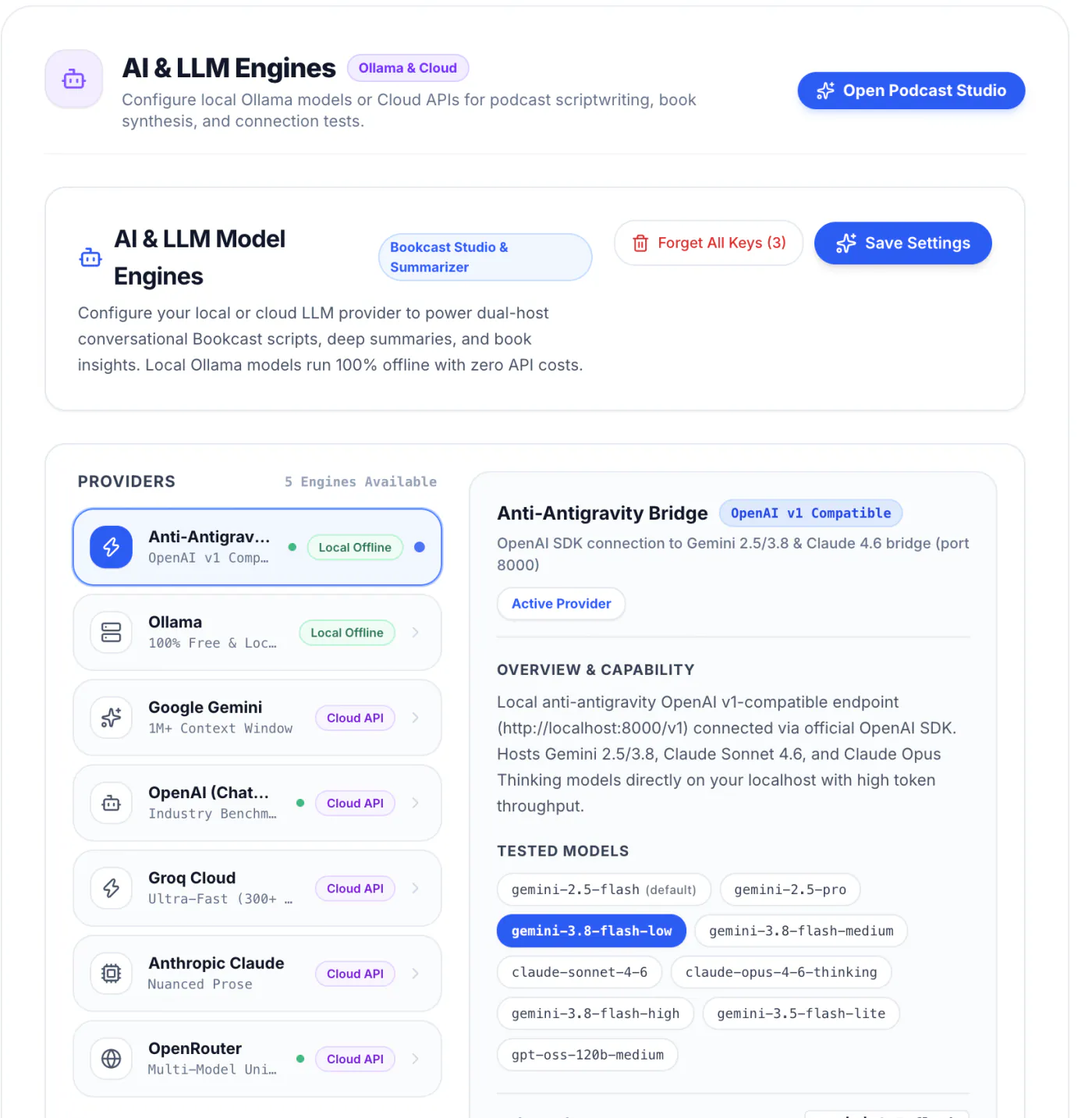
Select any provider on the left to configure it independently.
1. Configure Google Gemini (Free Tier & 1M+ Context)
Google Gemini is the top recommendation for dense nonfiction and textbooks thanks to its massive 1M+ token context window.
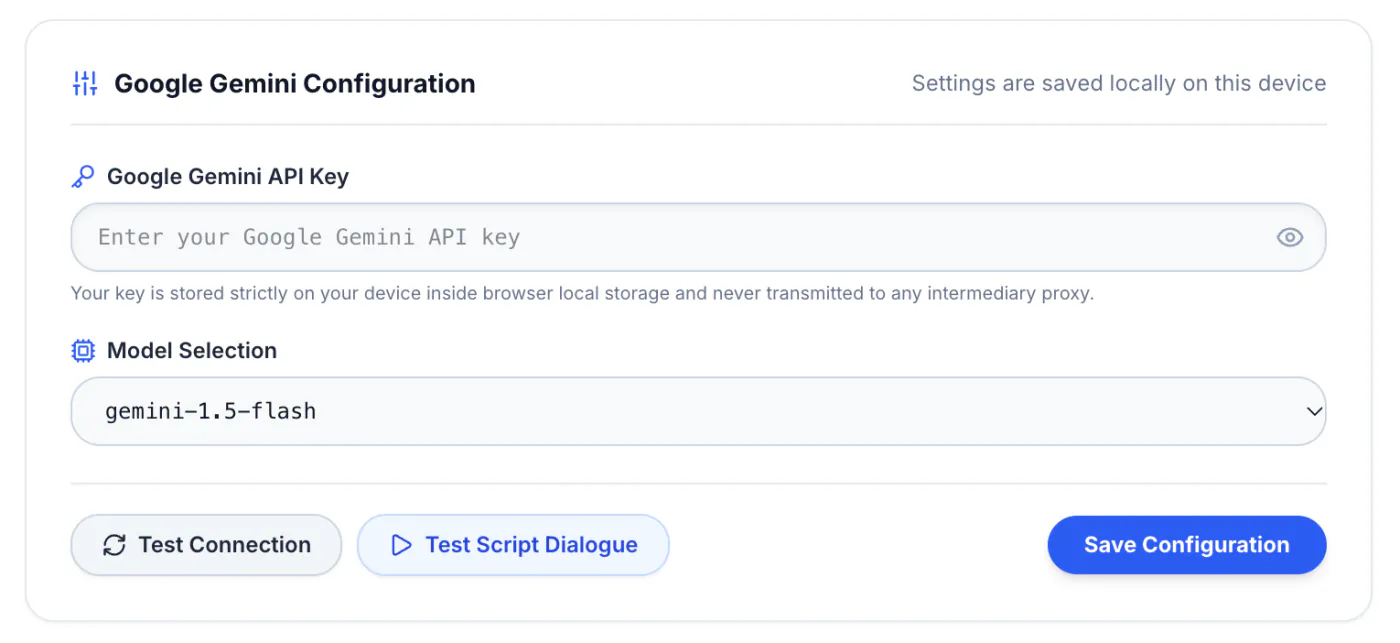
Setup Steps:
- Open the Google AI Studio API Keys Page.
- Click Create API Key and copy your key.
- In NeuroRead Pro, select Google Gemini under Providers.
- Paste your key into the Google Gemini API Key field.
- Select your default model (recommended:
gemini-1.5-flashfor high speed orgemini-2.5-profor deep reasoning). - Click Test Connection, then click Save Configuration.
2. Configure OpenAI (ChatGPT & GPT-4o)
If you already have an OpenAI platform account, connecting your key gives you access to GPT-4o and GPT-4o-mini.
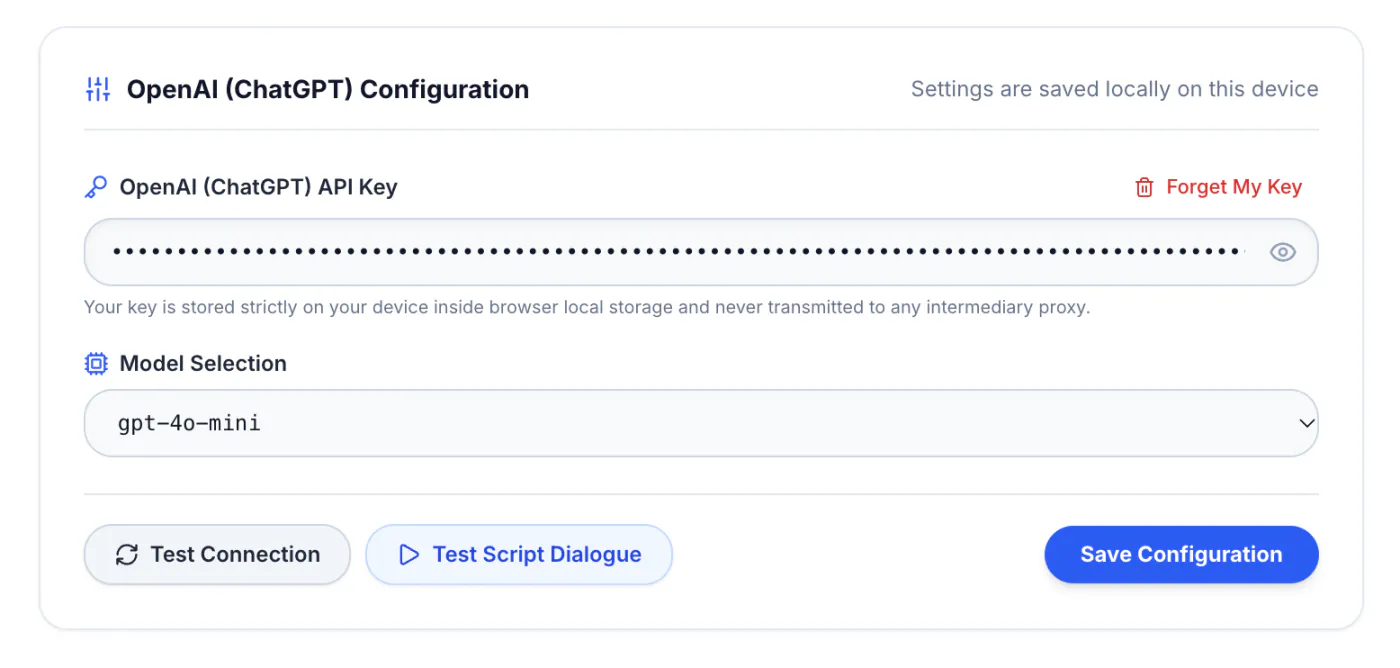
Setup Steps:
- Open the OpenAI API Keys Dashboard.
- Click Create new secret key, give it a name (e.g.
NeuroRead Pro), and copy the key. - In NeuroRead Pro, select OpenAI (ChatGPT).
- Paste your key into the OpenAI API Key field.
- Select your default model (recommended:
gpt-4o-minifor instant summaries orgpt-4ofor creative dialogue). - Click Test Connection, then click Save Configuration.
3. Configure Anthropic Claude (Nuanced Prose & Analysis)
Claude is favored by readers who want poetic, nuanced, and deep literary commentary for philosophy, history, and complex business narratives.
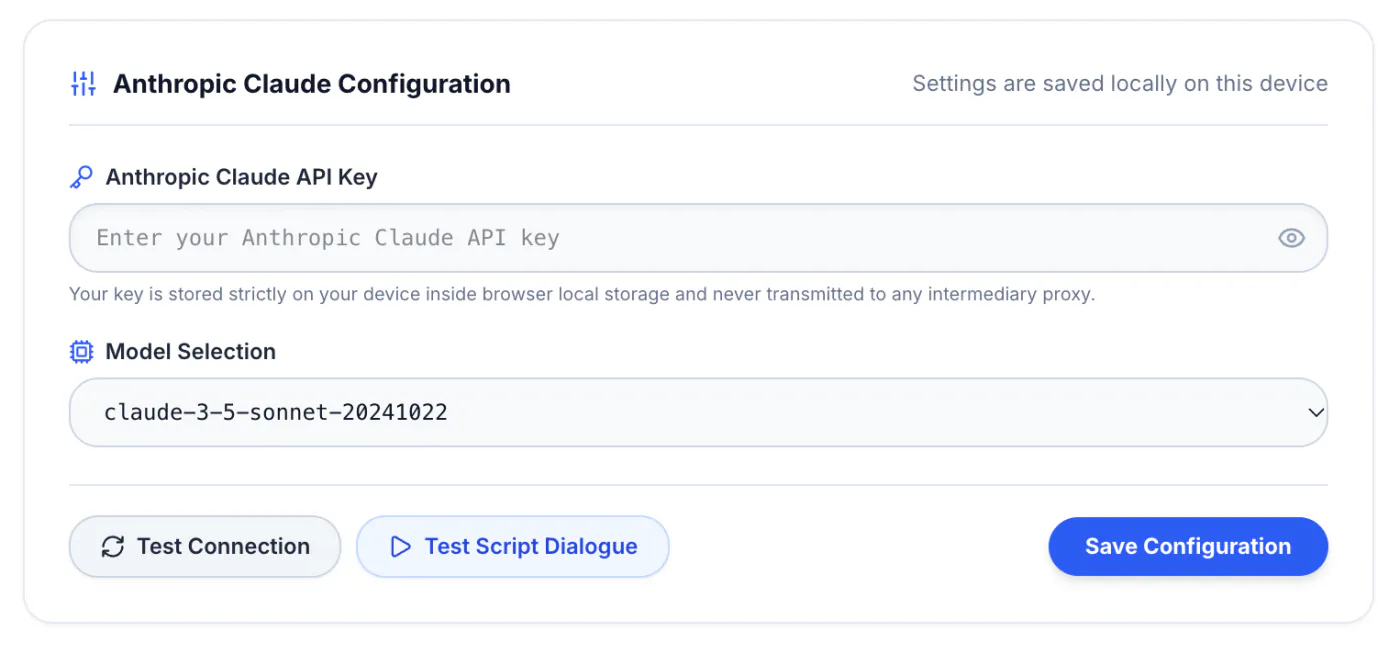
Setup Steps:
- Open the Anthropic Console API Keys.
- Click Create Key and copy your key string (
sk-ant-...). - In NeuroRead Pro, select Anthropic Claude.
- Paste your key into the Anthropic Claude API Key field.
- Select your model (recommended:
claude-3-5-sonnet-20241022). - Click Test Connection, then click Save Configuration.
4. Configure Groq Cloud (Ultra-Fast 300+ Tokens/Sec)
If you love skimming books at rapid speeds, Groq's custom LPU hardware delivers near-instant page summaries with zero waiting.
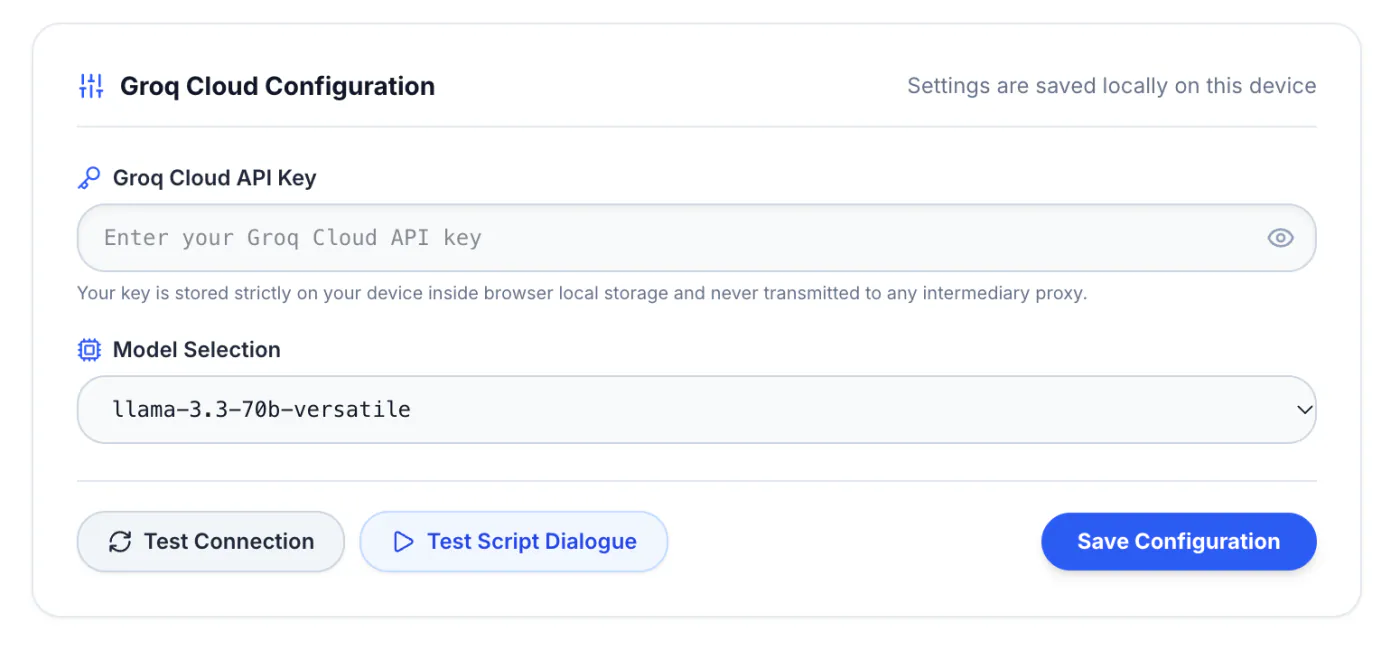
Setup Steps:
- Open the Groq Console API Keys.
- Click Create API Key and copy it.
- In NeuroRead Pro, select Groq Cloud.
- Paste your key into the Groq Cloud API Key field.
- Select your model (recommended:
llama-3.3-70b-versatile). - Click Test Connection, then click Save Configuration.
5. Configure OpenRouter (Universal Multi-Model Hub)
OpenRouter gives you a single API key to access hundreds of open and proprietary models (Mistral, DeepSeek, Cohere, Llama 3) with unified billing.
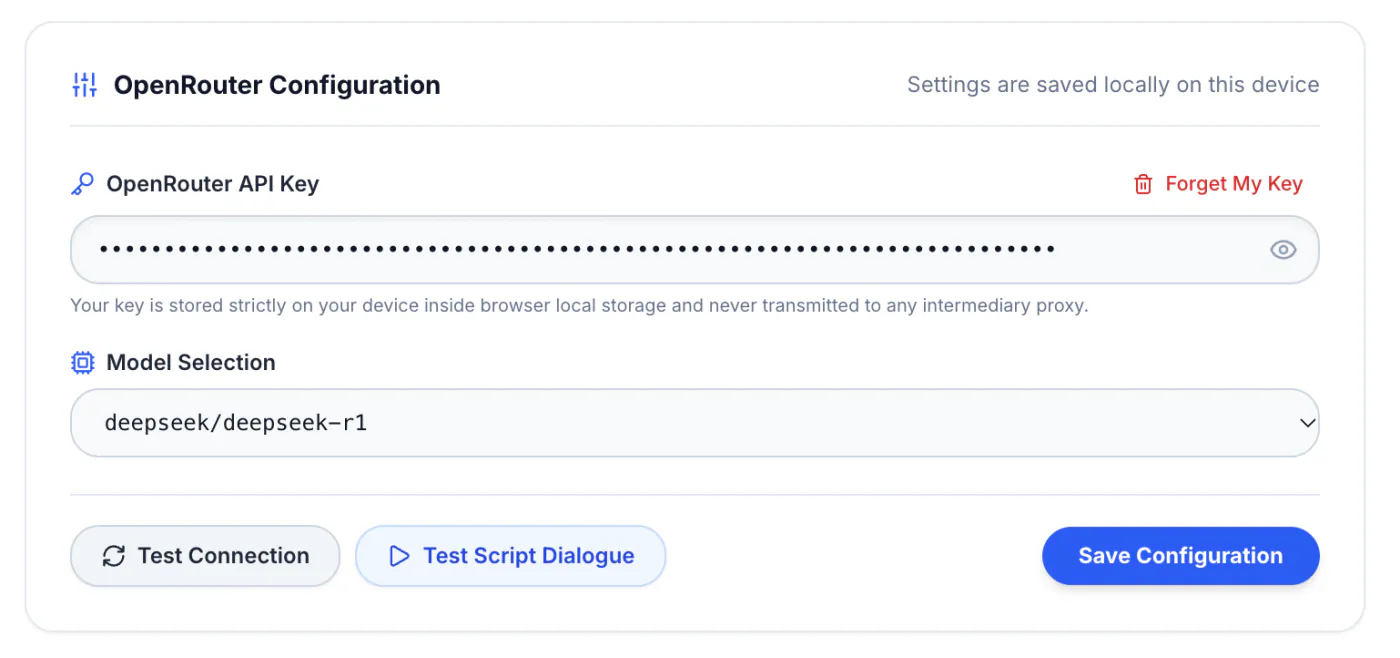
Setup Steps:
- Open the OpenRouter Keys Dashboard.
- Click Create Key and copy your key token.
- In NeuroRead Pro, select OpenRouter.
- Paste your key into the OpenRouter API Key field.
- Click Test Connection, then click Save Configuration.
6. Configure Local Ollama (100% Free & Offline)
For total offline privacy and zero API costs, run open-weight models directly on your Mac or PC using Ollama.
Setup Steps:
- Install Ollama: Download and run the installer from ollama.com/download.
- Pull Your Model: In your terminal, run
ollama run llama3.2orollama run deepseek-r1:8b. - Launch with CORS: Because NeuroRead Pro runs in your web browser, launch Ollama with CORS permissions:
OLLAMA_ORIGINS="*" ollama serve- Configure in NeuroRead Pro:
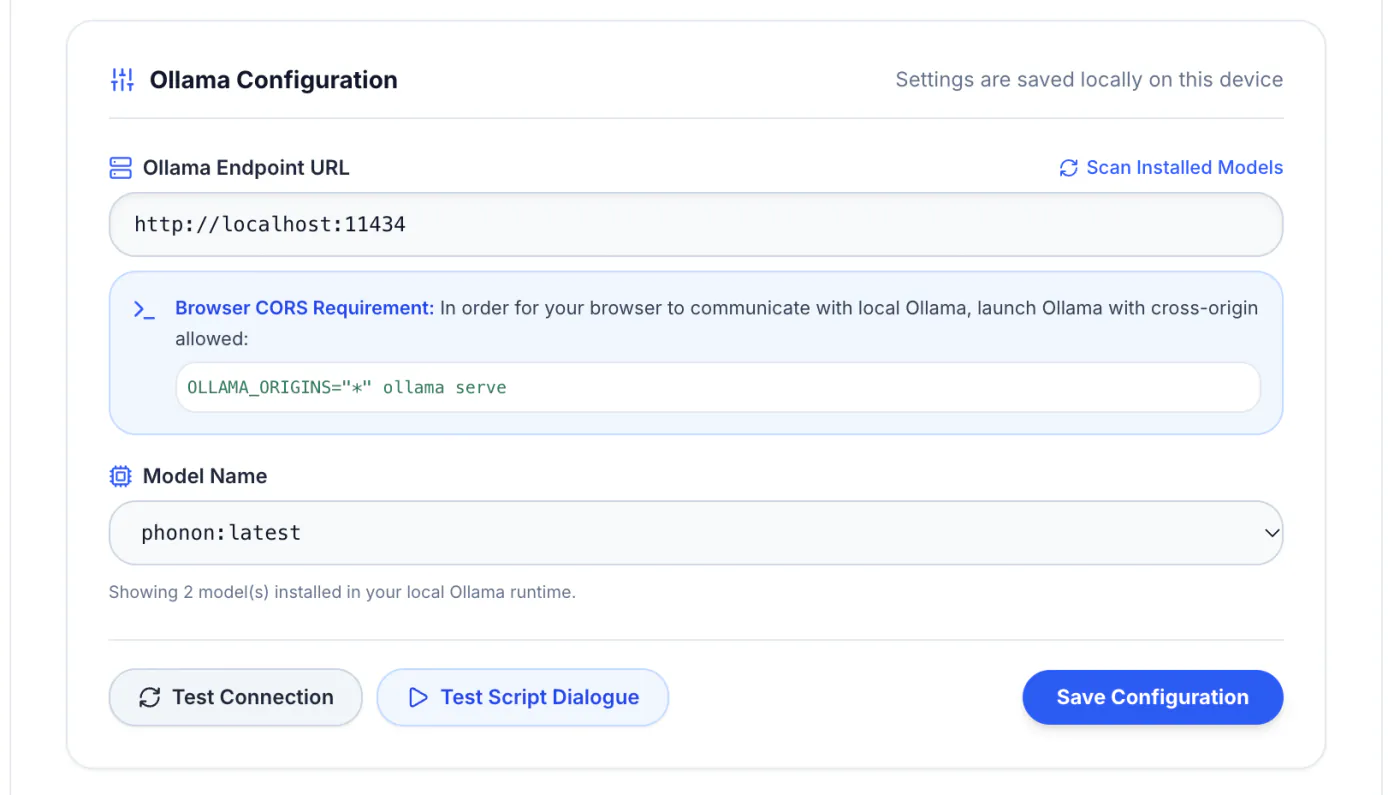
Select Ollama under Providers, confirm URL http://localhost:11434, click Scan Installed Models, choose your model, and click Save Configuration.
7. Configure Anti-Antigravity Bridge (Local Port 8000)
If you run a local OpenAI-compatible gateway (such as a proxy server, vLLM, or LM Studio on port 8000), use the Anti-Antigravity bridge.
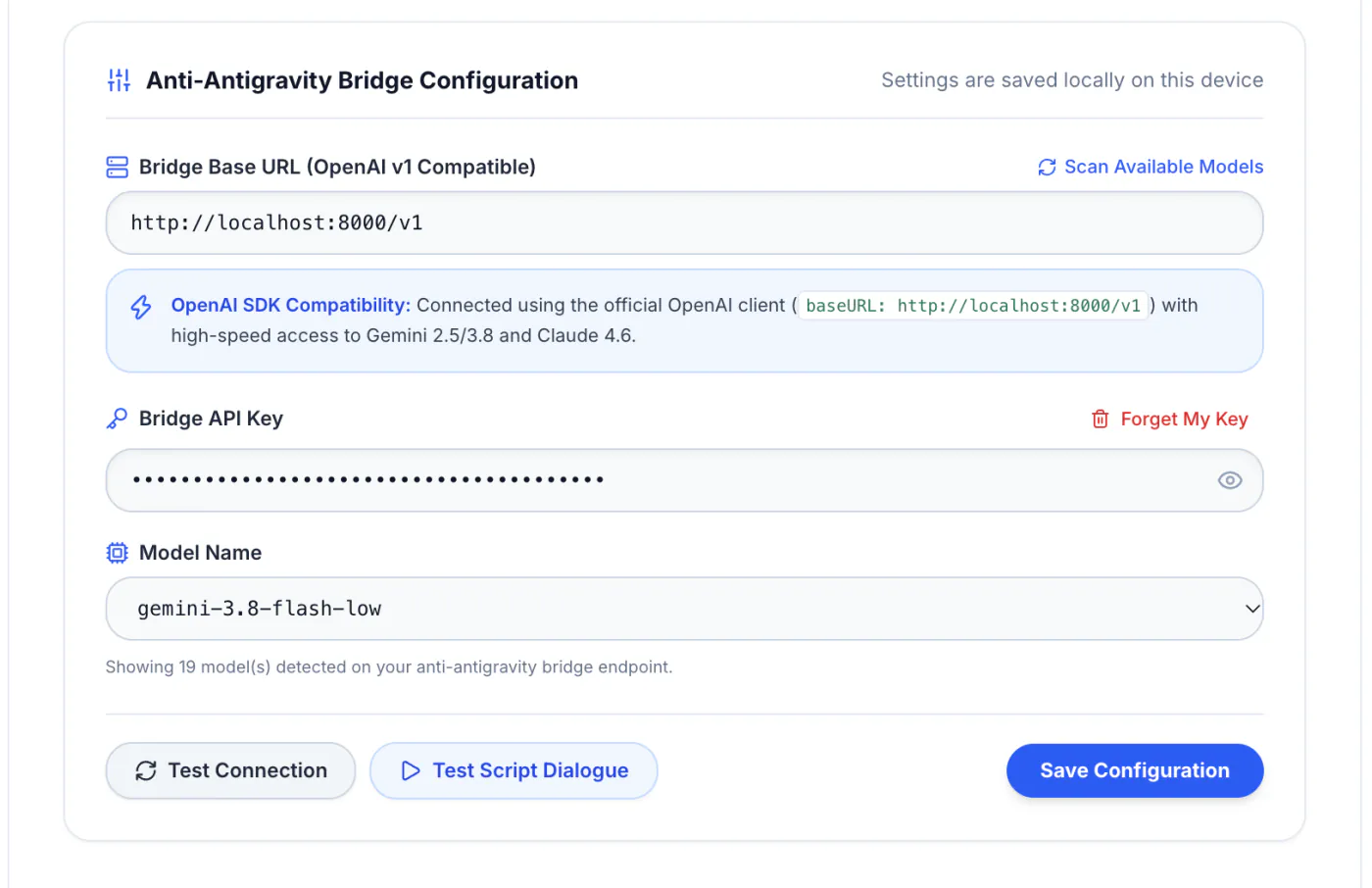
- Set the Bridge Base URL to
http://localhost:8000/v1. - Enter your bridge token (if required) and select your target model.
- Click Test Connection to confirm connectivity.
Testing & Verifying Your Setup
NeuroRead Pro provides two built-in verification tools before you begin reading:
- Test Connection: Checks server authentication, reachability, and rate-limit quotas.
- Test Script Dialogue: Simulates a live dual-host Bookcast generation to measure token latency and formatting fidelity.
When tests pass with green checkmarks, your setup is guaranteed to work across Luma, summaries, and audio generation.
Try reading with NeuroRead Pro's synchronized highlighting feature. It helps you stay focused by guiding your eyes and keeping you in the flow of the content.
Learn more about reading modes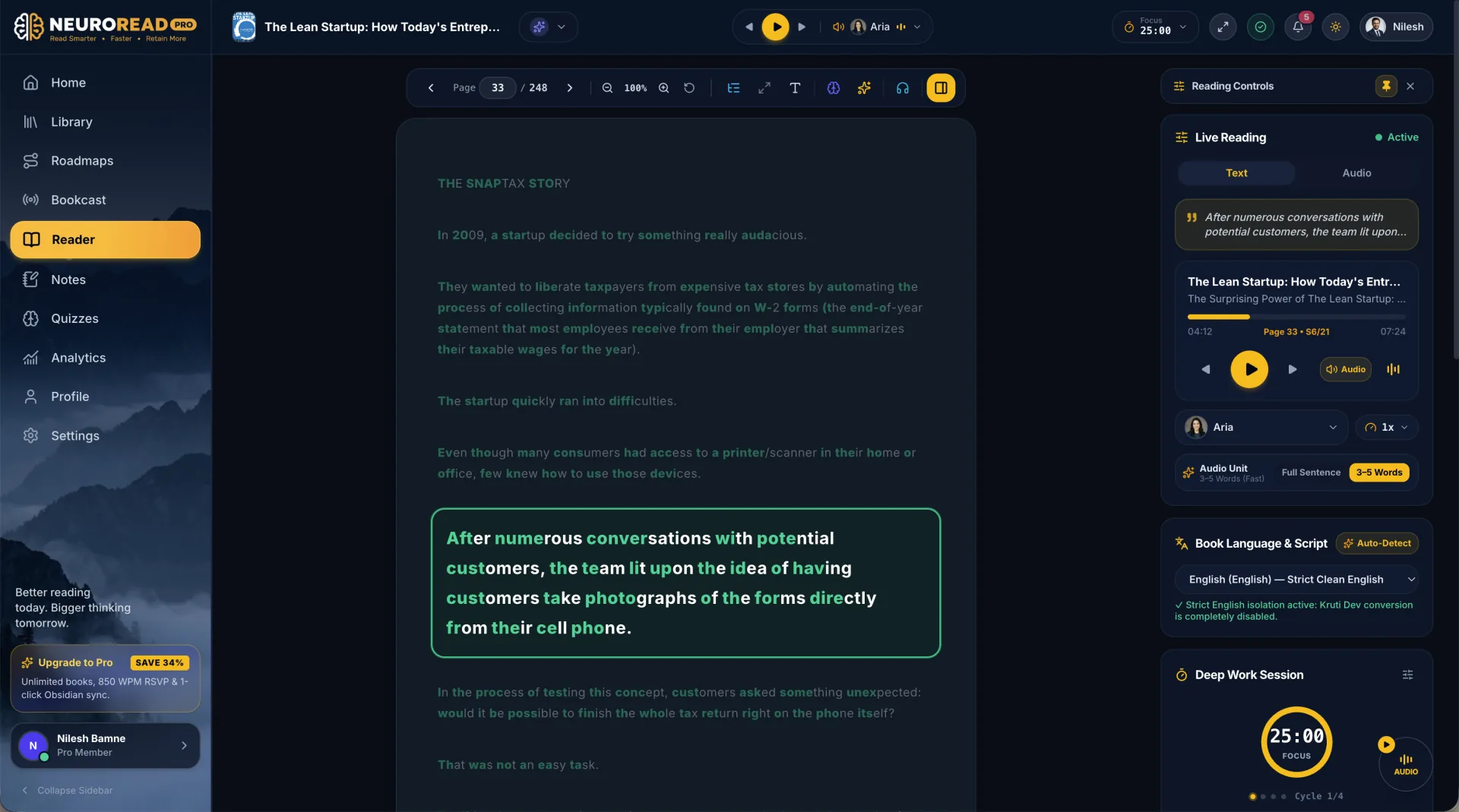
Key Takeaways
- Short Setup Time: Every provider takes under 2 minutes to connect.
- Direct Official Links: Generate keys directly via official consoles without Googling.
- Independent Configuration: Switch between Gemini, Claude, OpenAI, Groq, and Ollama at any time with zero lock-in.
- Built-in Diagnostics: Validate latency and connection status before opening your first book.